How to delete an account from a project
If you need to remove an account from your project, follow these simple steps:
- Navigate to the list of project accounts
https://postmypost.io
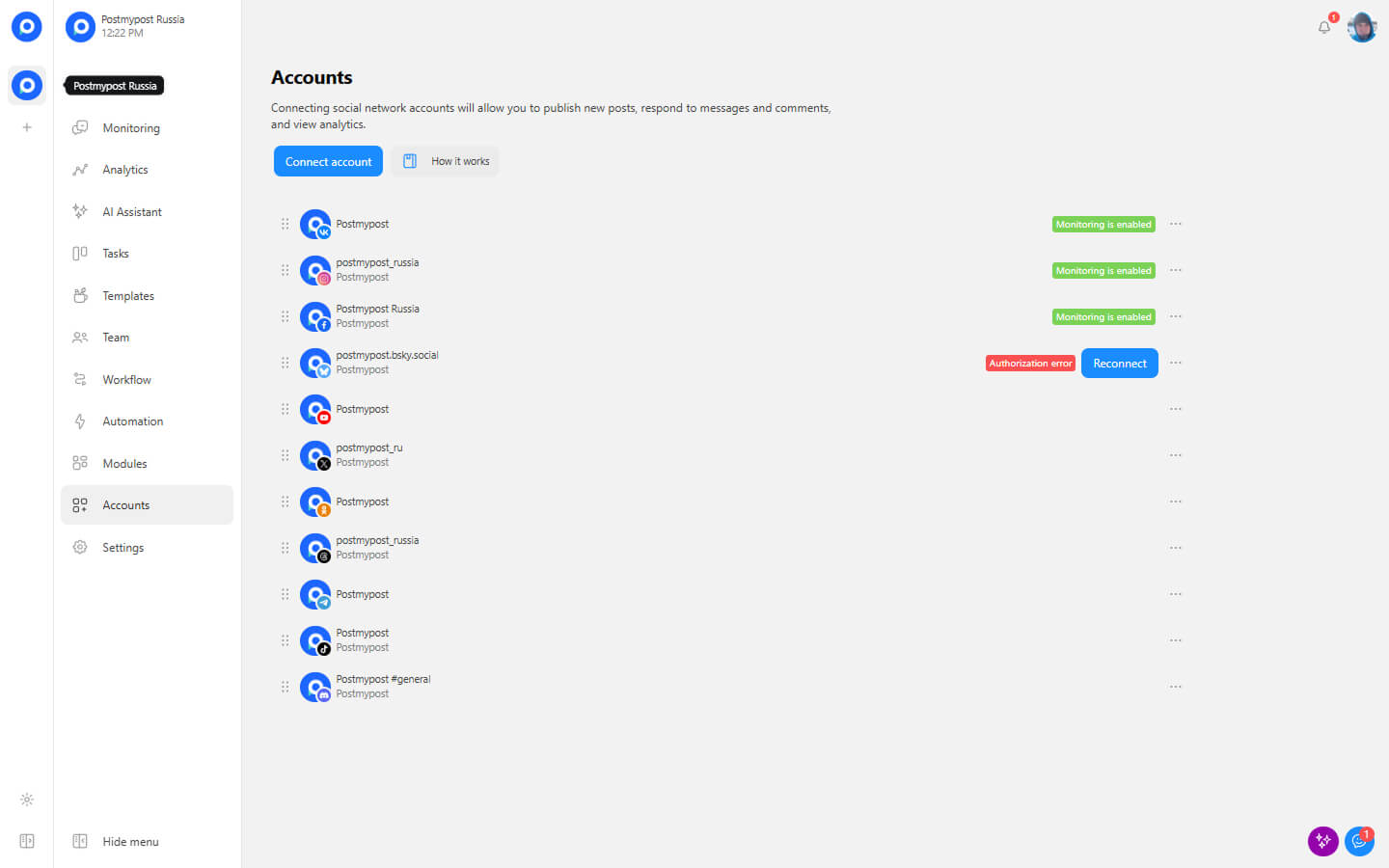
- Find the account you want to remove
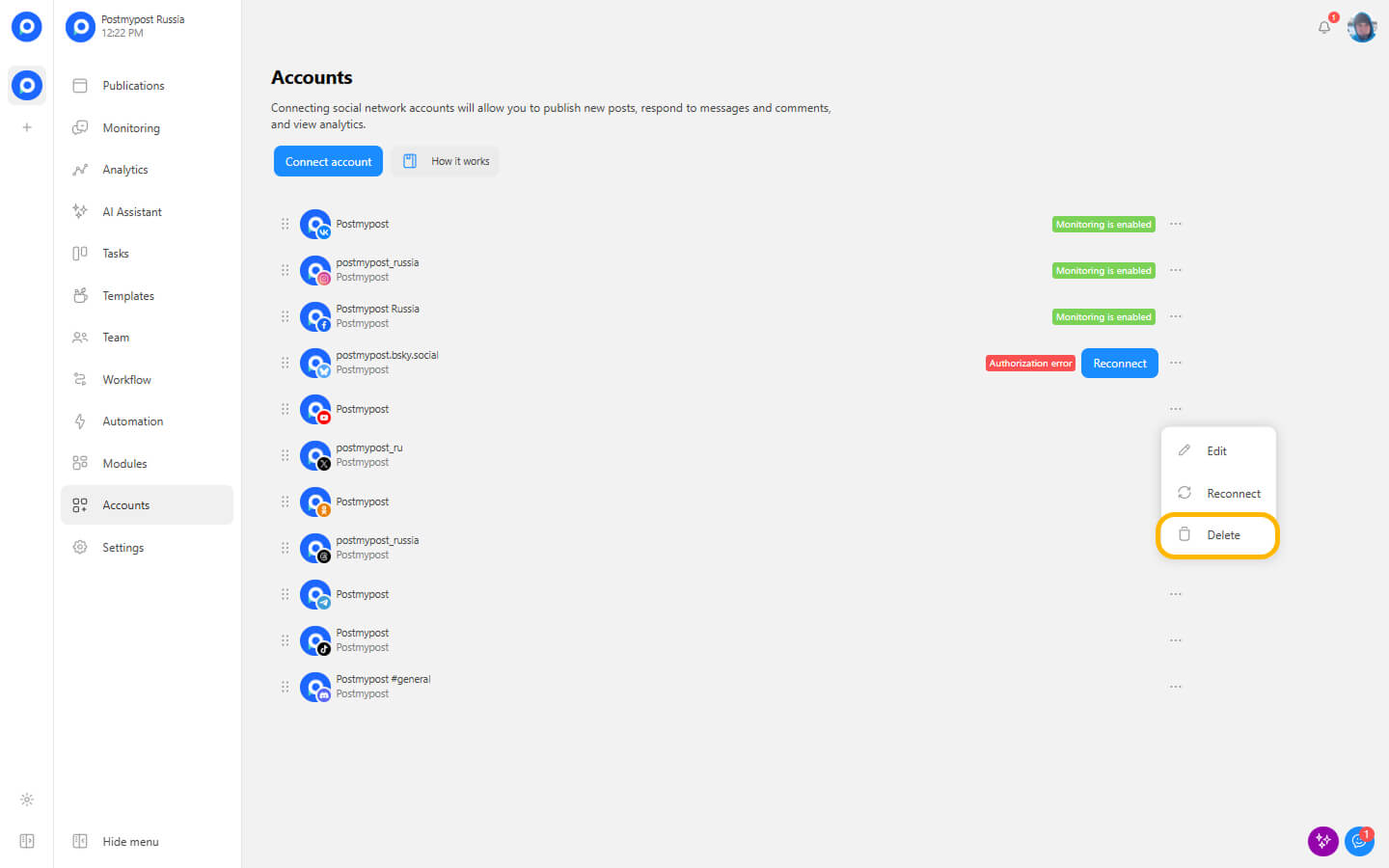
- Click on the three dots to the right of the account
https://postmypost.io
- Confirm the deletion when prompted
https://postmypost.io
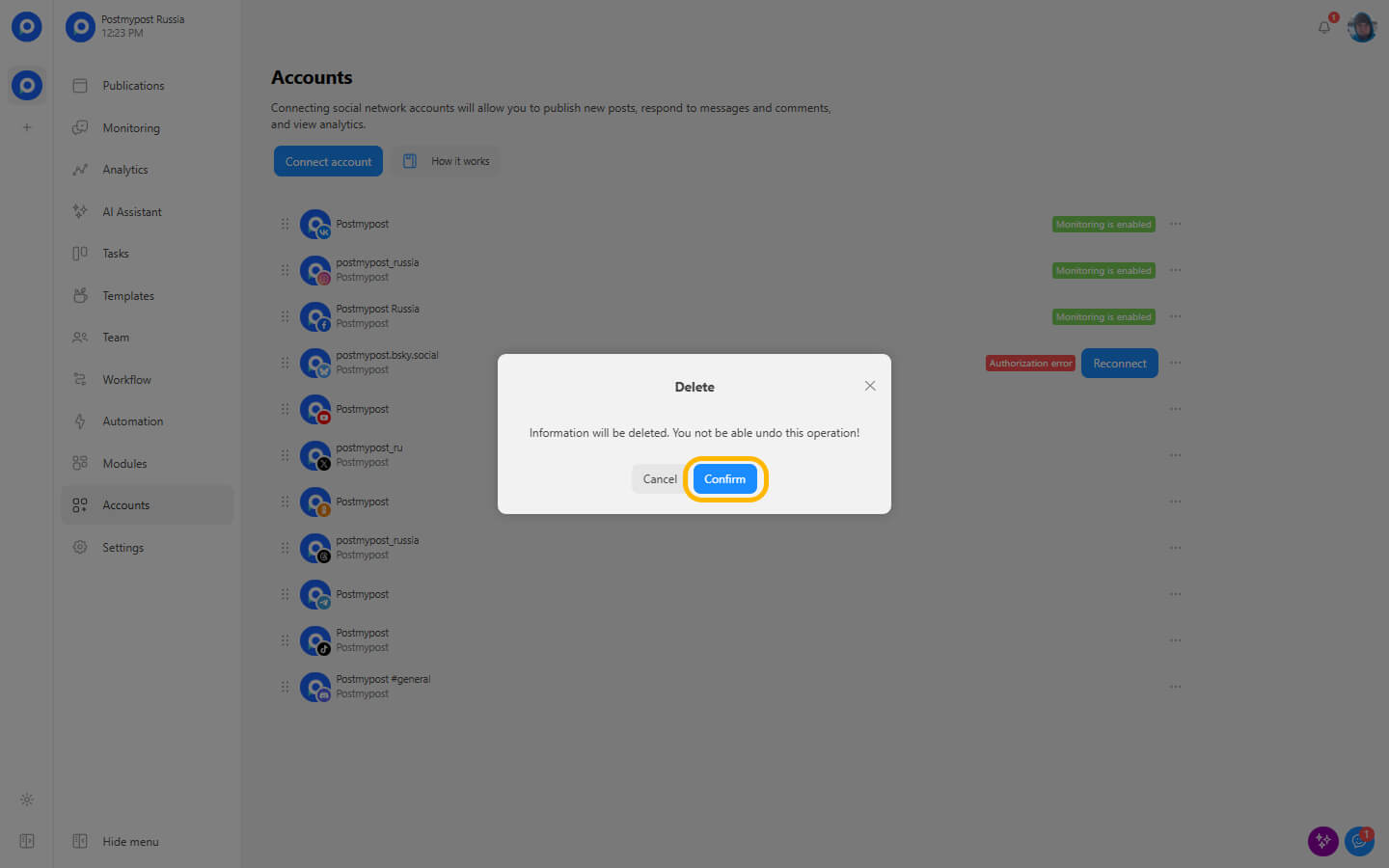
This action will permanently remove the account from your project. Please note that this operation cannot be undone.