Connecting MAX via the Postmypost bot
Follow these steps to connect your channel in MAX via the Postmypost bot.
Create a channel in MAX
- Open MAX and create a new channel.
- Copy the invite link to the channel. It is available only to the channel owner.
important
Make sure you connect a channel, not a group. Use the invite link, not the regular channel link.
Add Postmypost Bot
- Open your MAX channel → Subscribers → Add subscribers. Enter Postmypost Bot in search (include @). If the bot is not found, search by ID id421709879080_bot. If the bot still cannot be found, open https://max.ru/id421709879080_bot , click “Start bot”, then repeat the steps from the beginning. If that still doesn’t help — type the bot name manually letter by letter (don’t paste); sometimes this helps the search find the bot.
- After adding the bot to the channel subscribers, assign it as a channel administrator and grant permission only to publish messages. No other permissions are required.
What to do if you can't add the bot?
- First, send a message to the bot in private chat (for example, "+") to start a chat with it.
- If you can't add the bot as an administrator through the web version, try using the mobile app.
- Check the bot settings: select the desired bot → click "Configure" under "Chat-bot and mini-application" → enable the "Adding to group chats" option → click "Save".
- After that, try adding the bot to the channel again.
Connect the channel via link
- Paste the channel invite link in Postmypost and click Get confirmation link.
https://app.postmypost.io/
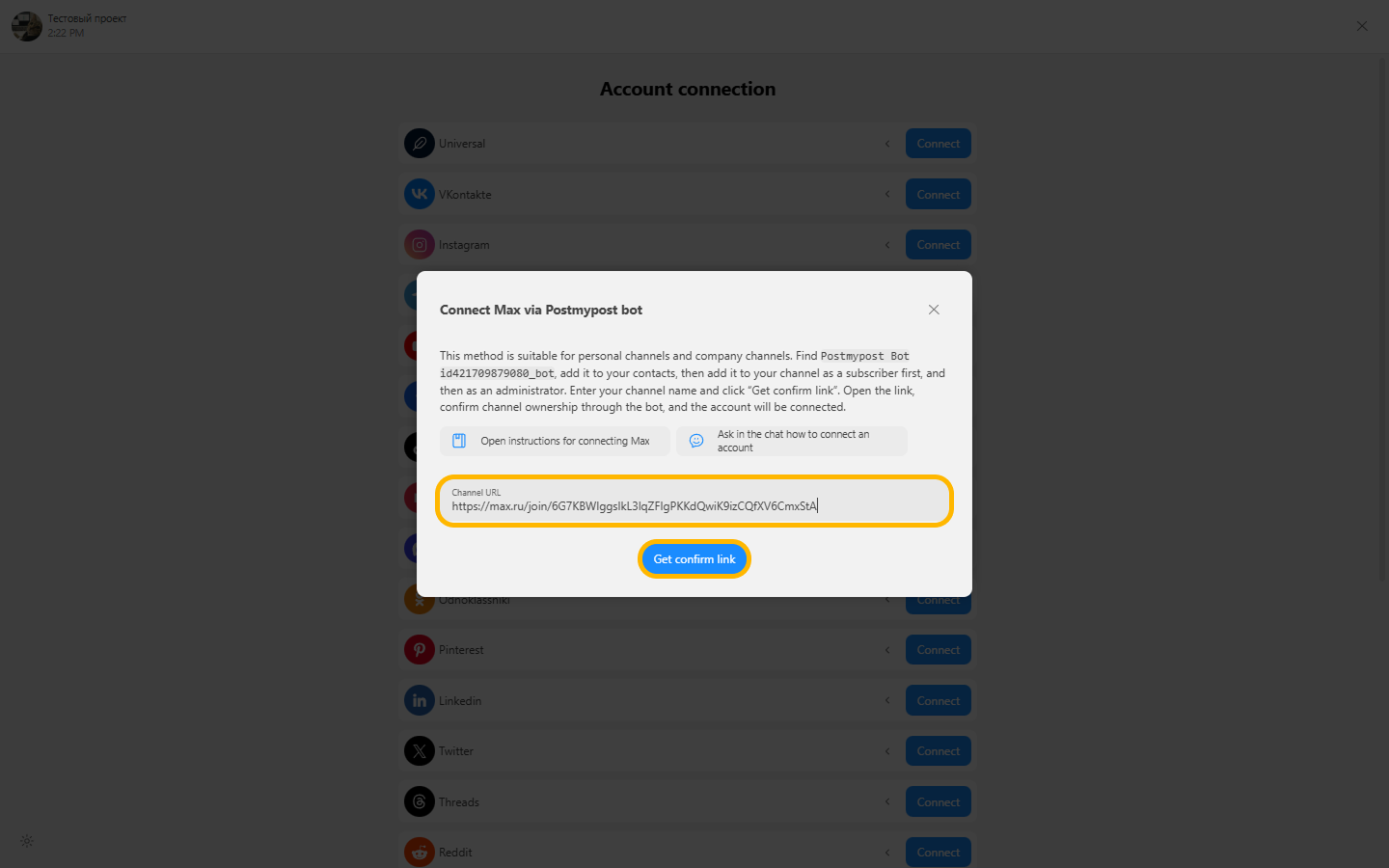
- You will receive a link like this: https://max.ru/id421709879080_bot?start=XXXXXXXXXXXX
https://app.postmypost.io/
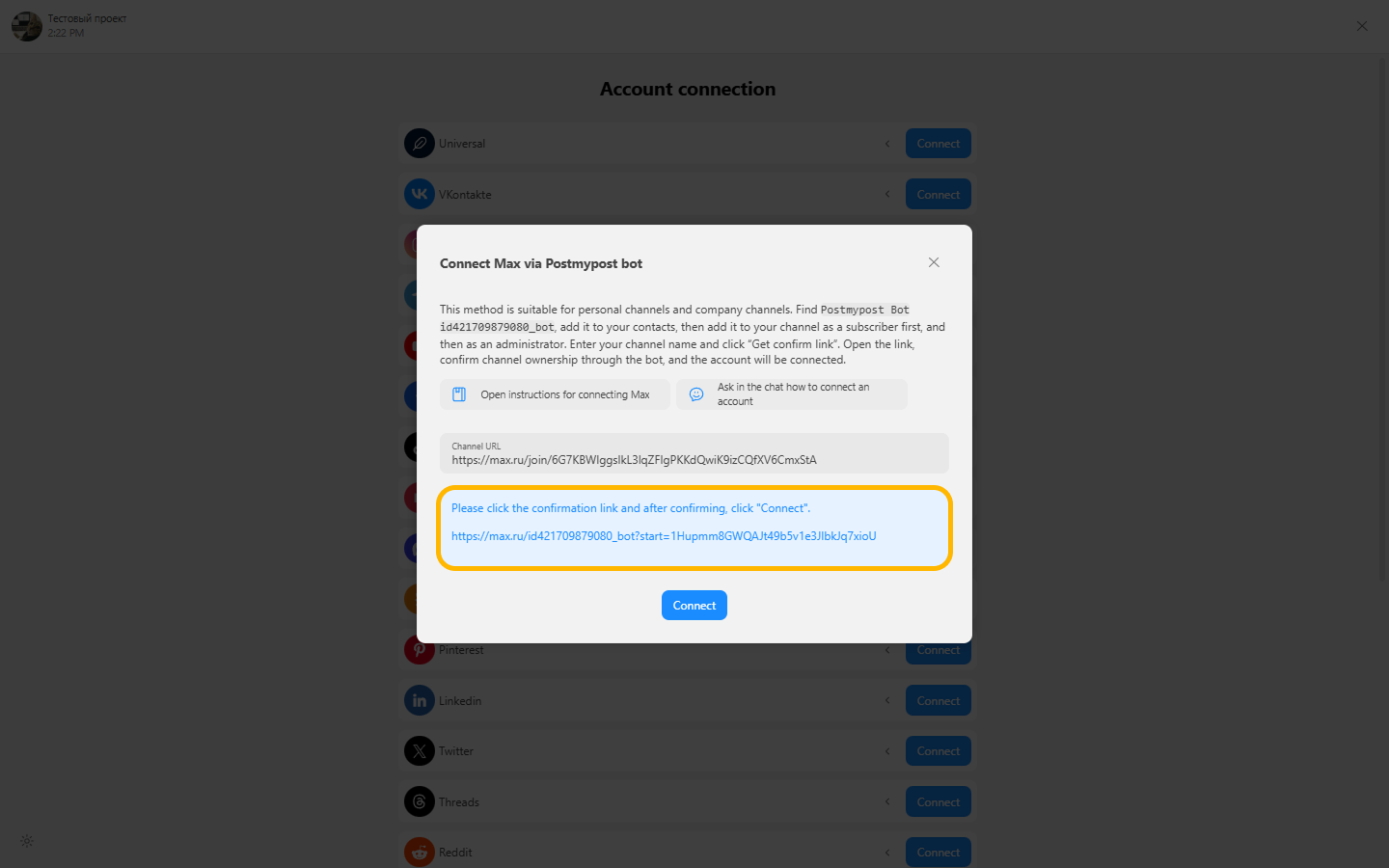
- Follow the link, the bot will reply to you in chat.
https://app.postmypost.io/
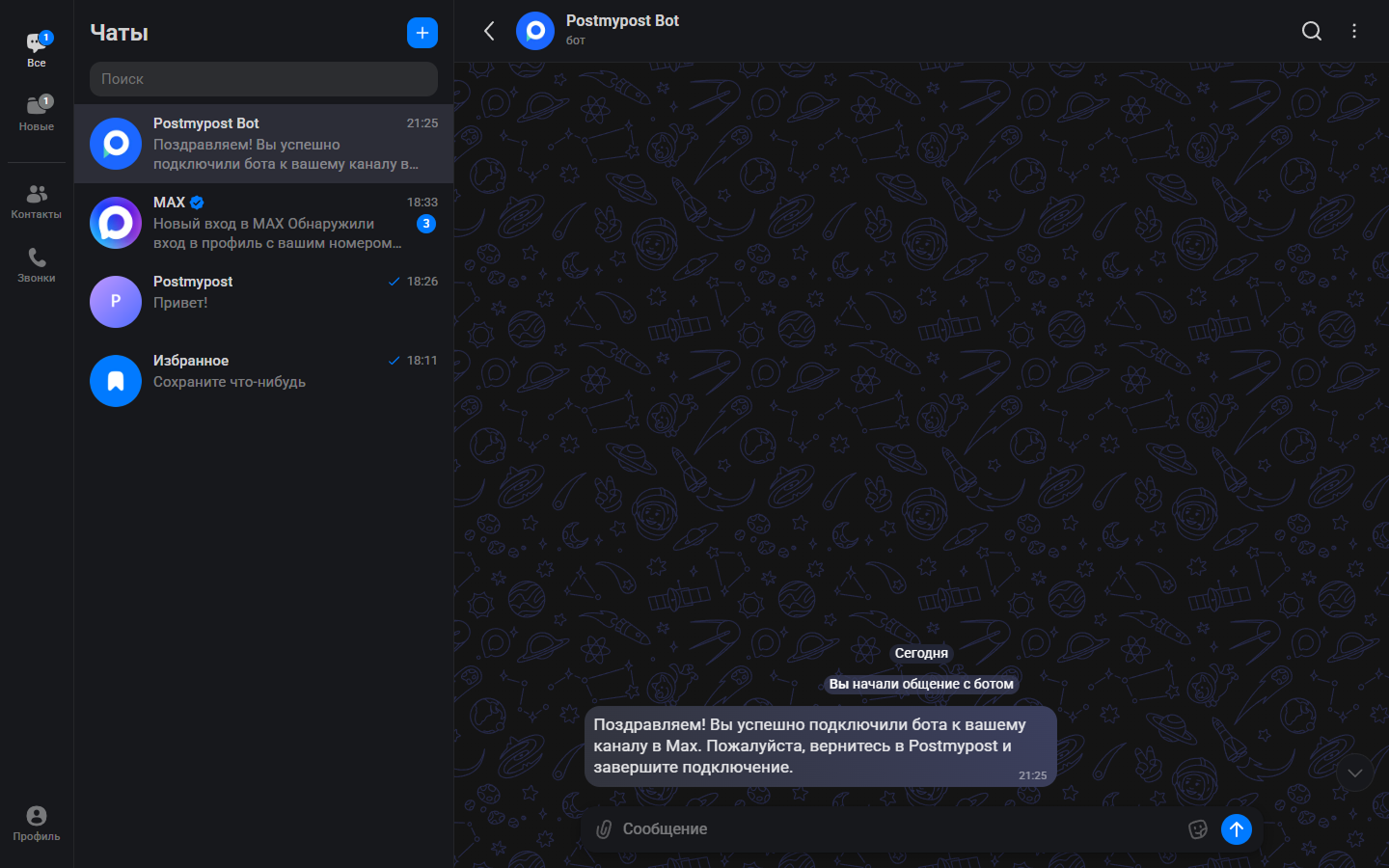
Connection check
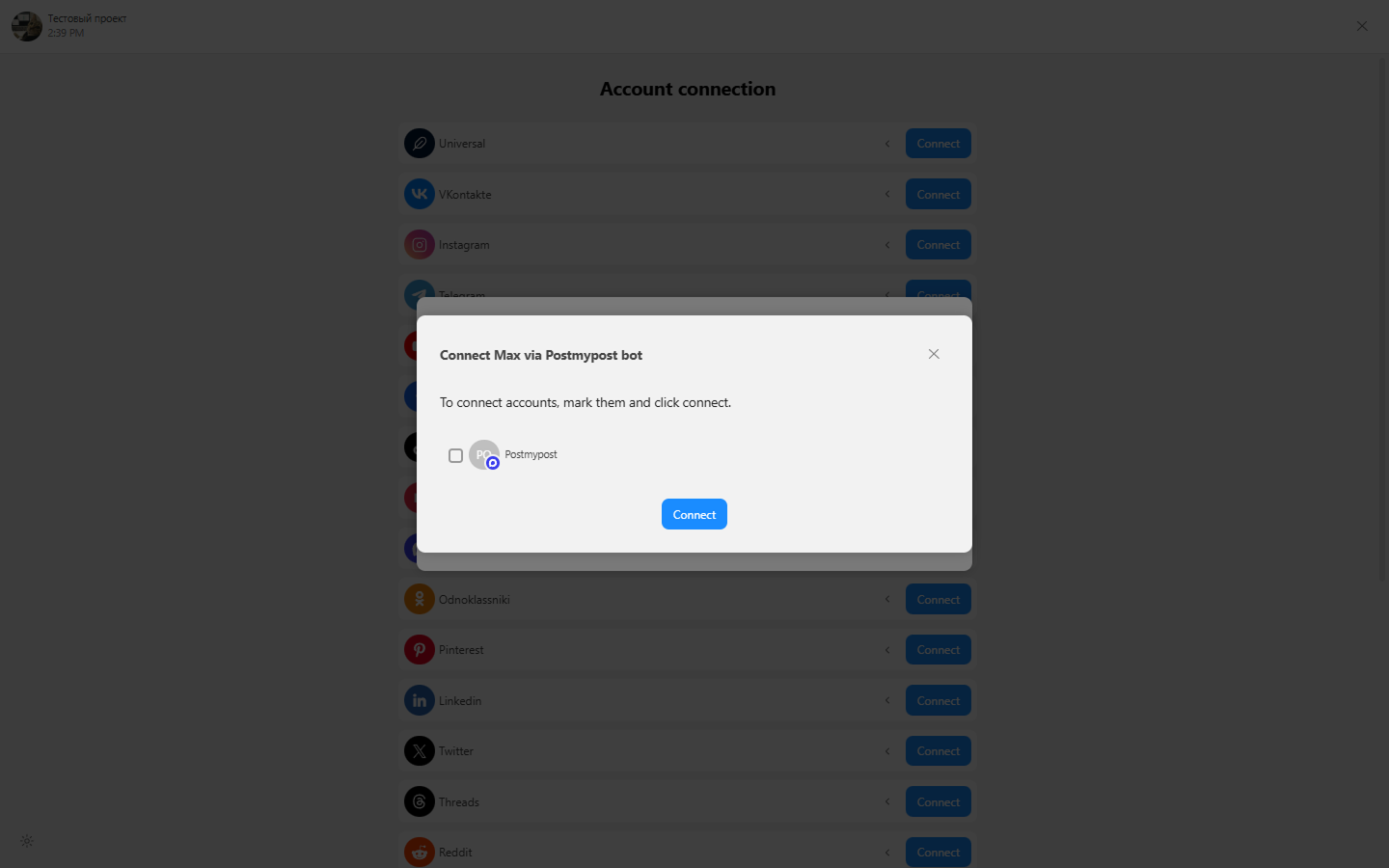
- After the bot responds, return to Postmypost. Before clicking Connect, make sure to click the confirmation link highlighted with a blue background.
- Then click Connect.
https://app.postmypost.io/
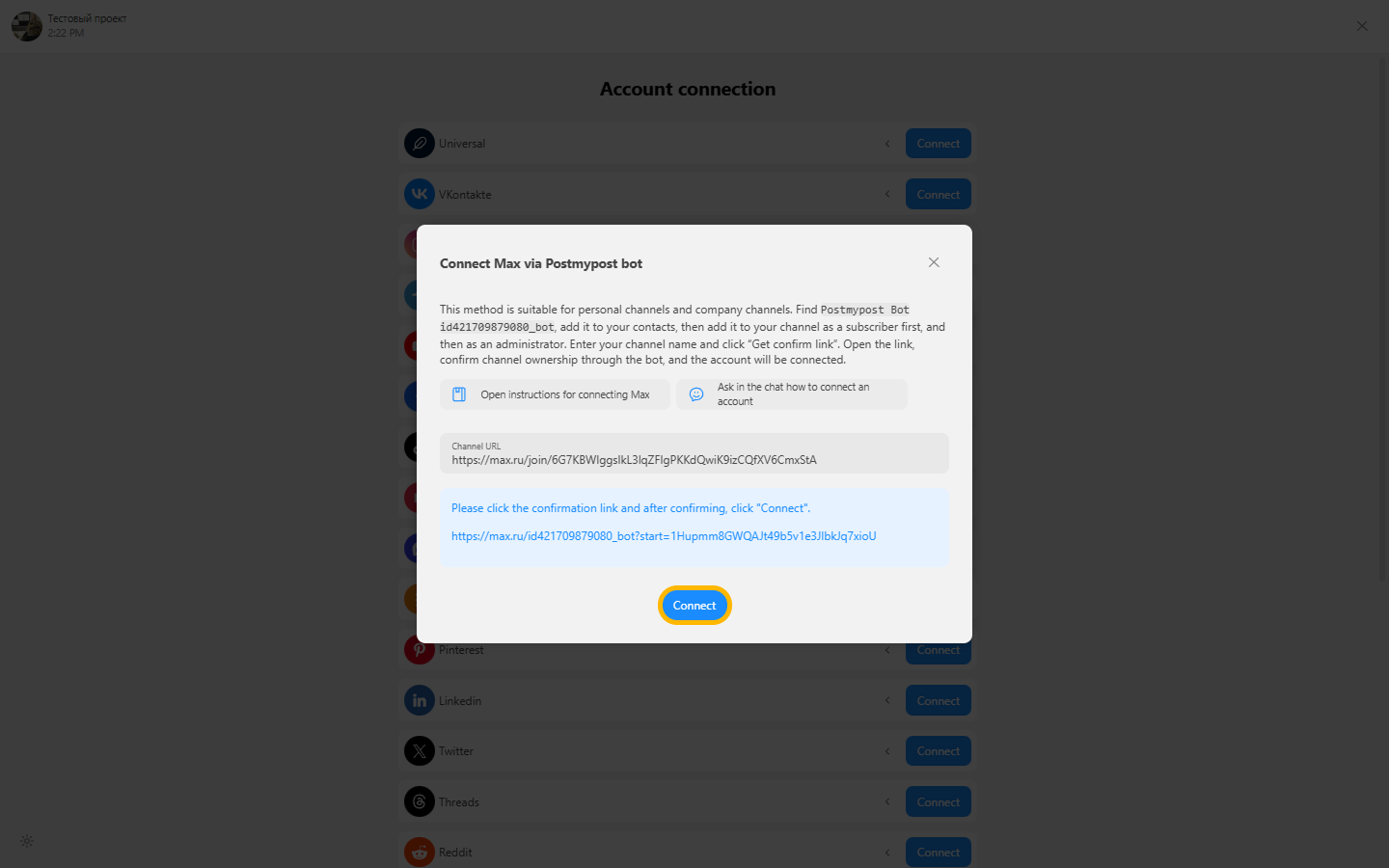
- Connection successful — the channel is ready for publishing!
https://app.postmypost.io/
If the channel does not connect
If the connection does not go through, check the steps below in order:
- Make sure you are connecting a channel, not a group, and that you are using the owner's invite link.
- Add Postmypost Bot to your contacts.
- Send any message to the channel.
- Send any message to Postmypost Bot in a private chat.
- In the chat with the bot, click Start bot if this button is displayed.
- In the bot settings, toggle all switches related to publishing, then try connecting the account again.
- If nothing helps, completely remove the bot from the channel, add it again, grant administrator permissions, and repeat the channel connection.